Reserved Seating module Action Specifics
To configure an item for Reserved Seating module:
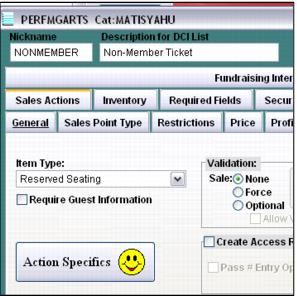
1. Start by selecting Reserved Seating for the Item Type on the Action tab. By default, Reserved Seating module items do not require guest information, but guest information can be required at the time of the sale, by checking the Require Guest Information check box.
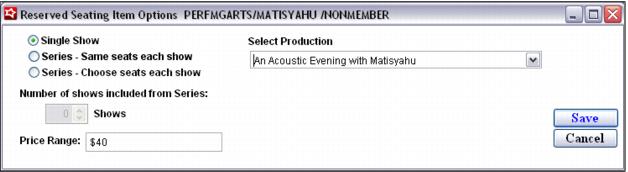
2. On the Action Specifics dialog, the ticket needs to be configured for a Single Show or a Series.
• The Single Show option requires the selection of a Production. The value entered in the Price Range field is displayed to the end-user during the booking process to provide an approximation of how much this particular ticket may cost.
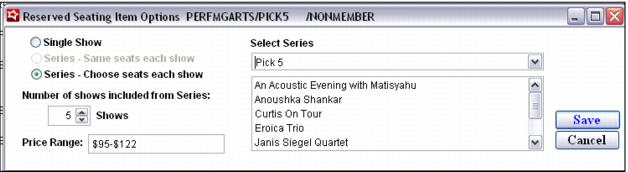
When configuring a ticket item that is booked into a Series of shows, there are two options:
• Series – Same seats each show
This configuration option is only available for a Series whose Shows all use the same Venue Template. This option can streamline the booking process for the end-user, as only one search is performed for seats throughout all selected shows in the package (Series). The risk with this configuration is that as shows get booked to capacity, the system is not able to find the same seats across all selected shows.
• Series – Choose seats each show
This configuration option is available for any Series regardless of the Venue Templates used per Show. This option requires the end-user to search for seats for each Show selected in the Series. The booking process may take slightly longer for end-users, but often provides better results when trying to book Shows with limited availability.
Regardless of the Series type, the Series corresponding to the ticket item must be selected along with the Number of Shows that must be booked during the ticket purchase process. The value entered in the Price Range field is displayed to the end-user during the booking process to provide an approximation of how much this particular ticket (package) may cost.