Levels and Sections
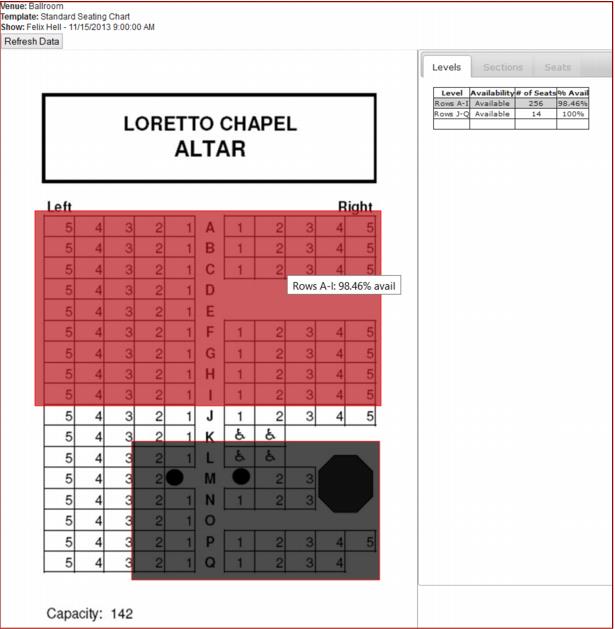
This module interacts with the user in the same manner as the area mapping functionality described in the previous section, with the exception that all data is view only.
• To navigate/zoom in and out, click on the mapped areas to zoom in and on the tabs to zoom out.
• One major difference is the presence of background colors for the Level and Section areas that correspond to the availability levels designated by the admin (e.g., red for >90% available).
• The availability % is shown along the Level/Section name in the tooltip when hovering over that area.
Note: the availability % is the number of Available/Open seats in relation to all venue seats.