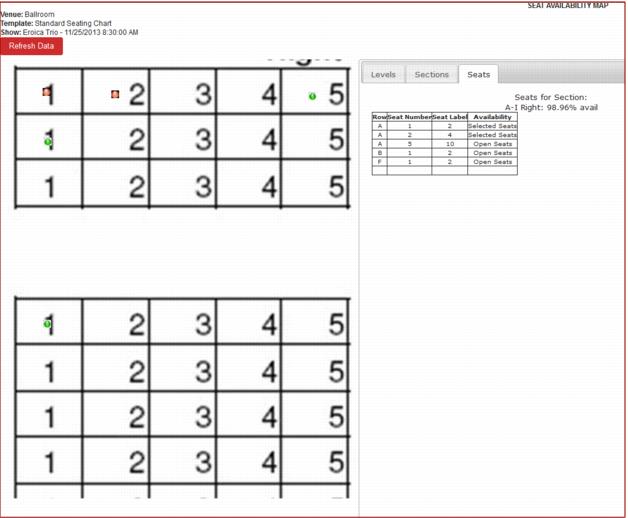
Seats
The Seats tab displays the seat indicators as defined by the administrator in the Availability setup section (e.g., red dot for Selected Seats, green dot for Open Seats, etc.).
Note: The Refresh Data button above the seat map image allows the admin to refresh the data on the map as needed.