Adjustment types
Inventory adjustments can be made to existing inventory at a location to alter the quantity and/or cost because it is incorrect for some reason. An item may have been stolen and inventory needs to be reduced; an incorrect quantity may have been entered on a PO and an adjustment must be made; a physical inventory results in the need to change certain inventory quantities. It is also possible to create inventory for an item using adjustments but it is almost always best to do this with the PO and receiving part of the Retail module.
To create adjustment types:
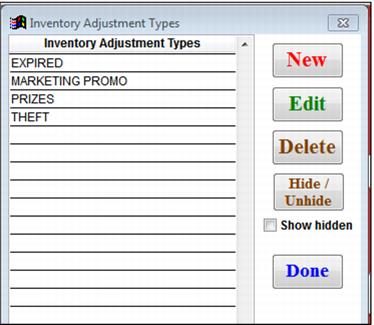
Go to SysManager > Activities > Inventory Lists > Adjustment Types. See the following screen capture:
Click New and create as many Adjustment Types as necessary. See the Inventory Adjustment Types dialog and the Inventory Adjustment Type Edit dialog in the screen capture below.