Configuration
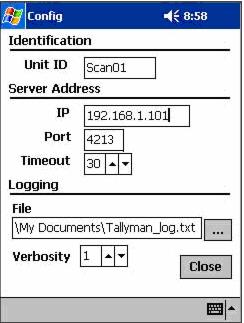
Accessed from the Options menu, this allows the Unit ID, Server Address and Logging parameters to be accessed. TallyMan module needs to be restarted each time the configuration is changed so that the changes take effect.
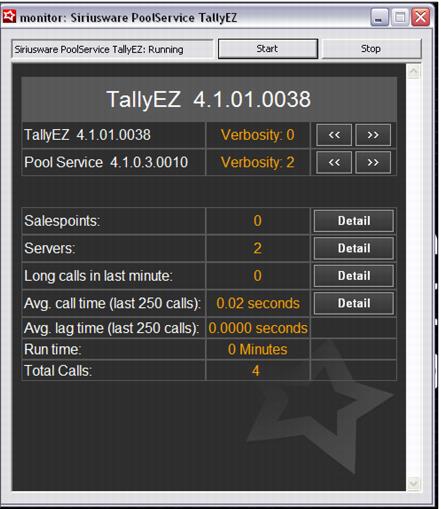
The Port ID is 4213, which is the port that TallyEZ application “listens to” on the Pool (middleware) server. IP is the fixed IP address of the Pool (middleware) computer. Unit ID is the salespoint name assigned in SysManager. TallyMan module is a licensed product and it does not work unless it is properly licensed. A TallyMan “salespoint” is created like any other salespoint from SysManager > Activities > System Lists > Salespoints > New. The TallyMan “salespoint” must be assigned a salespoint mode license of T in the salespoint licensing grid (SysManager > Preferences > Sales Point Licenses). The Unit ID corresponds to the Nickname in the grid. Your scanner connects to your network via the access point, and then to TallyEZ application via these configuration parameters. Your scanner cannot connect if it is not correctly licensed or if these parameters are incorrect. These configuration parameters are automatically written into the TallyMan.INI file, which is created the first time TallyMan module executes on the scanner. Once connected, the TallyEZ interface looks like this and details can be ascertained by clicking on the Detail button:
The latest version of TallyManPPC includes a new section to configure the sounds for distinguishing scanning of known items from items that are not found in the system.