SimpleCharge use
To make a SimpleCharge “sale”:
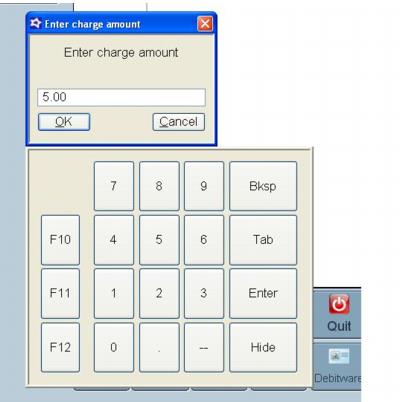
1. Swipe credit card or IHC card and enter amount (use a negative amount for refund).
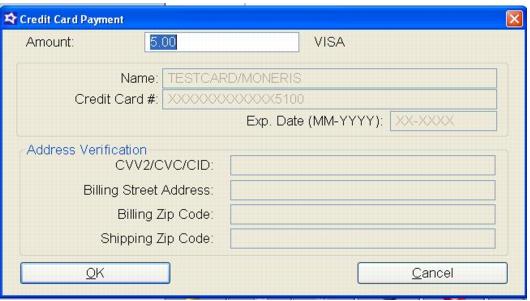
2. Hit OK and at the Credit Card Payment dialog hit OK again. The charge is finalized.
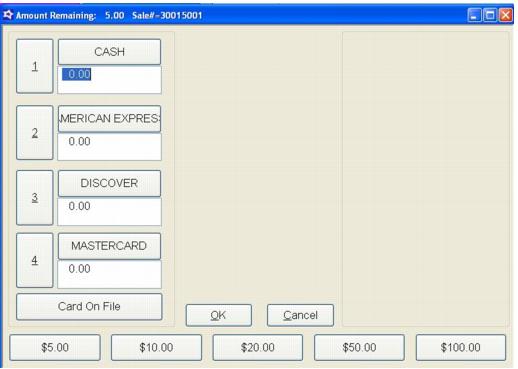
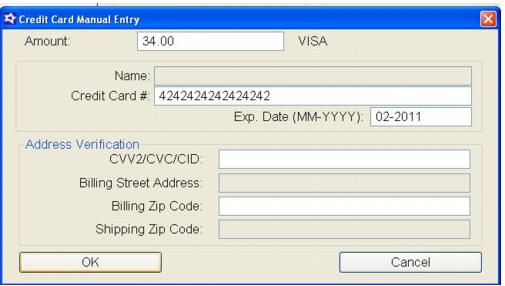
3. If the card cannot be swiped, the operator chooses the Charge button, enters the amount to be charged and hits OK. At the Amount Remaining dialog, the payment type is chosen and the credit card or IHC card information is entered and OK selected. The transaction is finalized.
4. To take a cash payment the user hits the Charge button, enters the amount and, at the Payment Type dialog, chooses the Cash payment type.
5. IHC reload, activate, etc., follow the same procedures as Classic Sales mode.