General notes
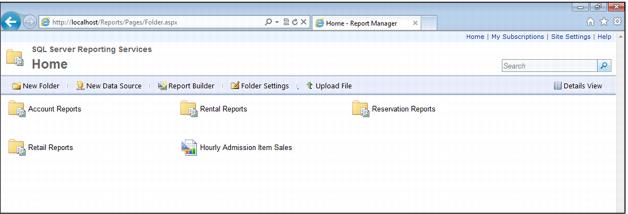
Reporting Services is included as part of the SQL Server 2008 and 2012 standard packages. To go to a server’s default Reporting Services site, open Internet Explorer (Reporting Services is incompatible with non-Microsoft browsers) and go to http://servername/reports. If you are working directly on the server, you can go to http://localhost/reports. Reporting Services is configured from Programs > Microsoft SQL Server > Configuration Tools > Reporting Services Configuration Manager. IIS is not required with SQL Server 2008. If the Reporting Services cache has expired on the server – that is, if the site has not been active in the last thirty minutes – it may take a minute or so for the home page to display:
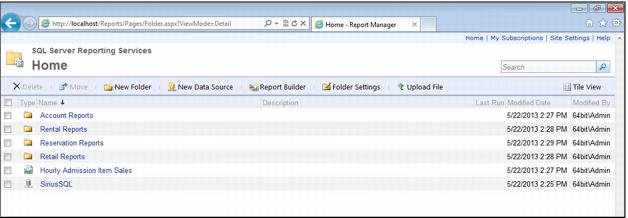
The reports and folders are displayed in Tile view by default. If you click on the Details View link on the right side of the menu ribbon, the page contents are displayed like this (note the appearance of the SiriusSQL data source that was not visible before):