Updating existing reports
A report that is already deployed can be updated by uploading a new version of the RDL file (created in Visual Studio).
To update an existing report:
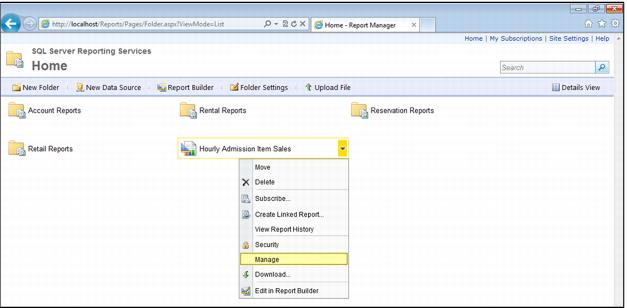
1. From the Home page (or the page on which the desired report is displayed), hover over the report name, click the dropdown arrow, and then select Manage.
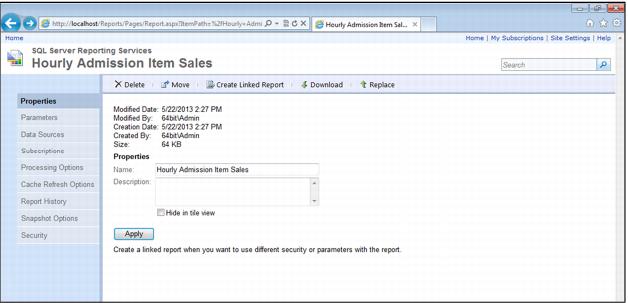
2. Click the Replace link at the right of the menu ribbon.
3. Click Browse and find and select the file that contains the updated report definition.
4. Click OK (which returns you to the General Properties page).
5. Click Apply.