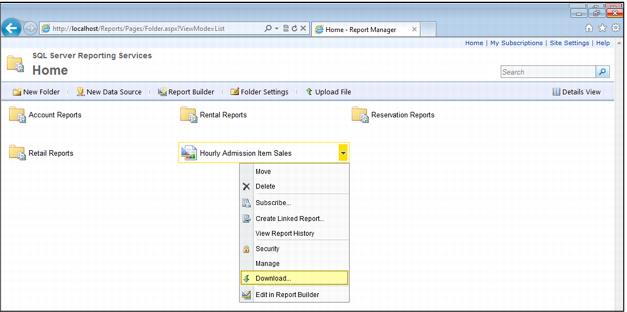
Download existing report definitions
If you do not have a report’s originally uploaded RDL file that was created in Visual Studio, you can export the report definition from the Report Server database back into the RDL format:
1. From the Home page (or the page on which the desired report is displayed), hover over the report name, click the dropdown arrow, and then select Download.
2. Click the Edit link towards the bottom of the page (just above the Apply button).
3. A File Download appears at the bottom of the browser window, prompting you to open or save the file.