Marketing Survey Performance Report
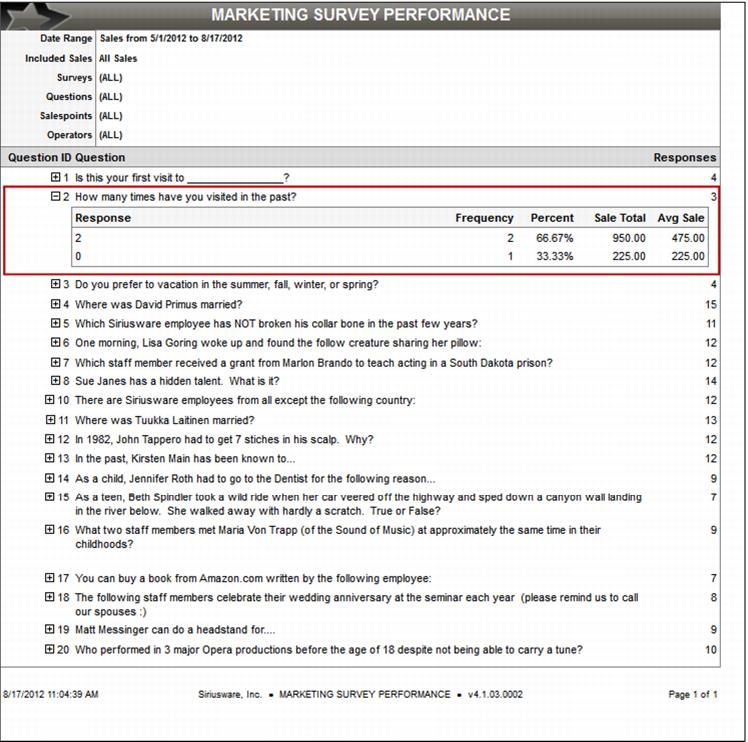
A Survey Performance Report groups the responses by the QuestionID. The QuestionID, full text of the question and a count of the total number of responses are summarized for each question. Then, the response, count, percentage, sale total and average sale total are displayed for each response value for the given question. The reports are able to be filtered by Survey, Question, Date Range, Operator and/or Salespoint/Salespoint Group. Finally, there is the ability to export the raw data. Additionally, a security setting is needed to be added for accessing the Survey Report.
More Detail can be obtained by simply clicking on the + check box to the left of the desired question. This creates a dropdown below the question highlighting the Response information.