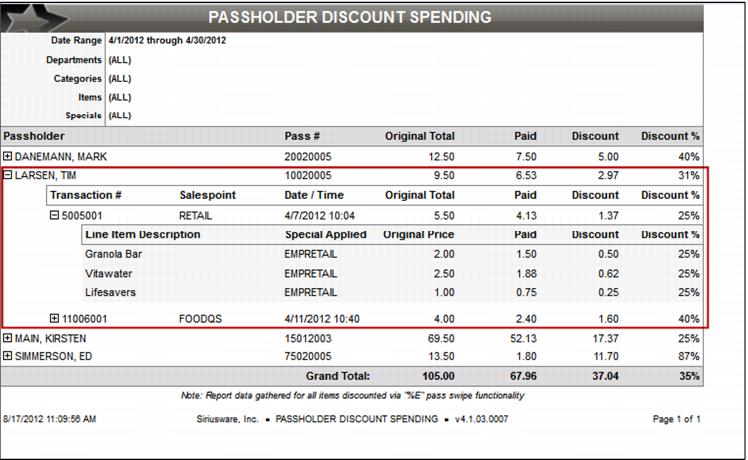
Passholder Discount Spending Report
This report details the transactions which received passholder/member discounts utilizing the “%E” functionality encoded in the pass barcode. Can be filtered by pass item(s) and special(s) applied, and limited to only those whose discounts exceed the declared threshold.
More Detail can be obtained by simply clicking on the + check box to the left of the Passholder name. This creates a several detailed dropdowns below the passholder. This gives specific transaction information by salespoint and the discount the guest received.