How to prevent a sale you don’t ever want to finalize from showing up in the recall list
1. Recall the sale and note the Sale# (in this case 277103000).
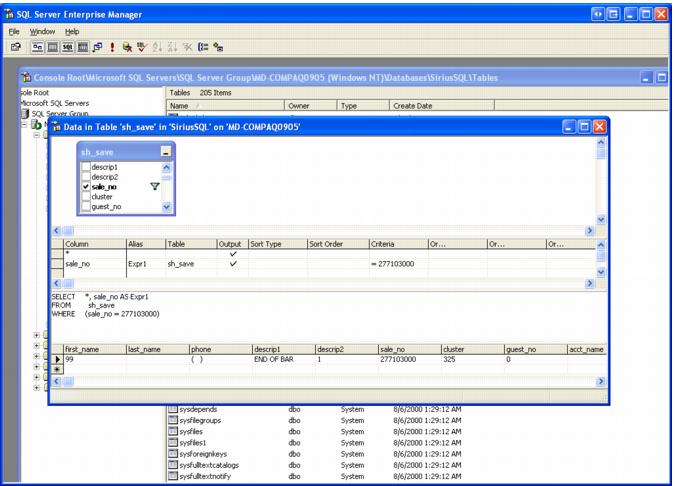
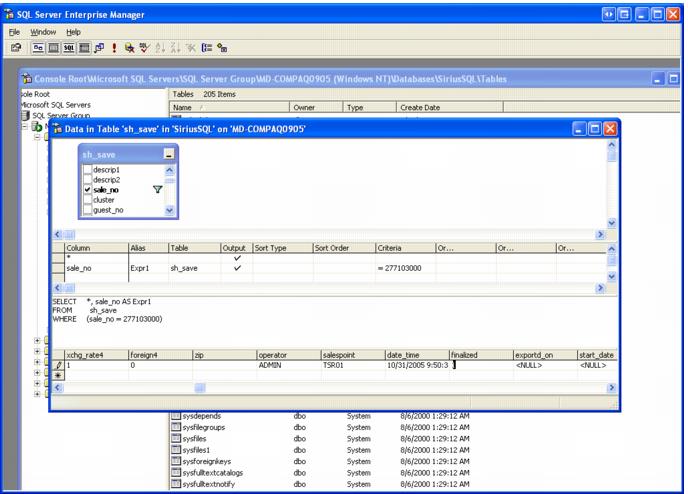
2. Open Enterprise Manager (or Management Studio if you are using SQL Server 2005) and open the sh_save table as a query. Select the sale_no field in the list of fields and set the criteria for that field to be equal to the sale_no you obtained above – run the query.
3. Locate the Finalized field and set the value to 1 and close the table.
4. Open the tr_save table, check the sale_no field in the fields list and enter the same criteria as above – run the query. Set the quantity for each line item to zero and close the table and Enterprise Manager. Make sure that you can no longer recall the sale.
Note: that if the sale has pending credit card or debit card transactions, they never finalize, the cards are never charged and the amount being held on the card generally clears in one week.