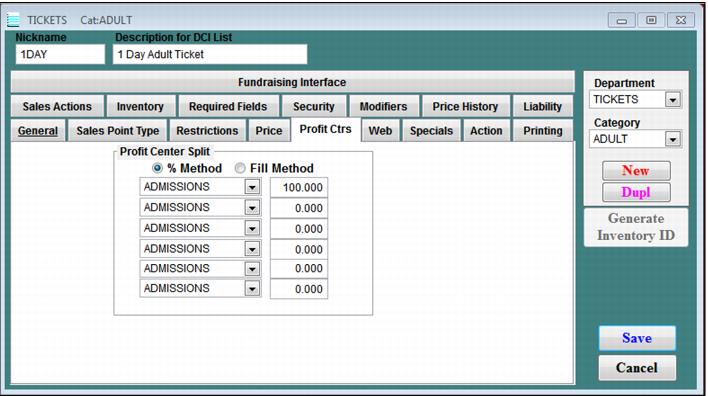
Profit Center tab
The Profit Ctr tab is used to specify the profit centers for an item. The Profit Ctr dialog is shown in the following screen capture. In order to be able to distribute the proceeds of the sale of products to Profit Ctrs, define the profit centers and revenue allocation methods using this dialog.
Add the profit centers from within
SysManager >
Activities >
Financial Lists >
Profit Centers. See
How to enter profit center information. Profit centers can be split using two different methods:
• % Method – Allocates percentages of the item revenue to up to six profit centers. This method is advantageous in that even if the price of the item increases or decreases, all profit centers still get their fair share.
• Fill Method – Allocates dollar amounts of the item revenue.
Note: Be careful when using the fill method! If the item price decreases, the profit center(s) listed on the bottom might not receive any revenue. If the price increases, you may have “unallocated” profit.