Salesware User and Ticketing Guide for Beginning Users : Basic SysManager operations : Product setup : Configuring items : Specials tab
 
Specials tab
 
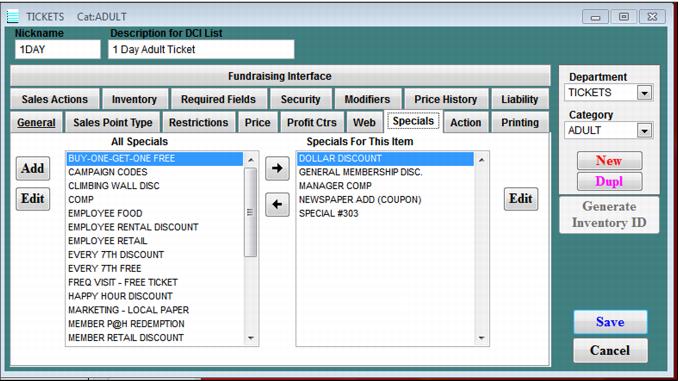
The Specials tab is used to associate specials with an item type – for example, a pass item or an In-House Cards (IHC) item. The Specials dialog is shown in the following screen capture. When a special is associated with an item, it is available from the item’s Special button when the item is moved into the invoice portion of the main Sales screen.
 
C:\Users\Jennifer Roth\Documents\DonationCoder\ScreenshotCaptor\Screenshots\Screenshot - 2013-07-22 , 8_59_11 AM.png
 
To associate Specials with an item, simply move the Specials from the All Specials scroll box to the Specials For This Item scroll box. To edit a special, click the special you want to edit in either scroll box, and then click the associated Edit button. To create a new special and add it to the All Specials scroll box, click the Add button. For details on how to create a new special, see How to create specials and coupons.