How to enter account invoice preferences (user-defined fields)
To enter account invoice preferences:
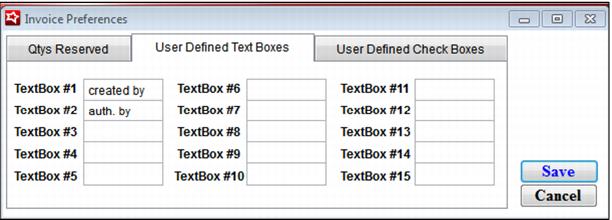
1. Go to SysManager > Preferences > Invoices > User Defined Text Boxes or User Defined Check Boxes.
2. You can enter labels here for up to fifteen text fields, and five check boxes:
3. Enter desired labels and click Save.
4. Any labels that are entered here show up in SysManager > Activities > Accounts > New account/Edit account > Invoices > New invoice/Edit invoice > User Def tab. (They also appear when viewing/modifying the accounts invoice in Sales.)