How to enter Account Preferences (User Defined fields)
To enter Account Preferences:
1. Go to SysManager > Preferences > Accounts.
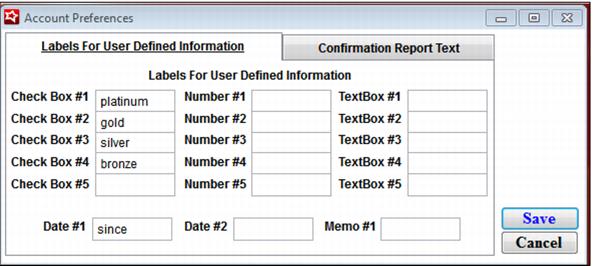
2. You can enter labels here for five check boxes, five numeric fields, five text boxes, two date fields, and one memo field:
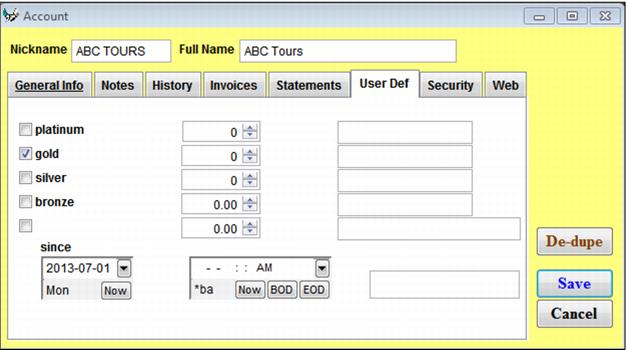
3. Any labels that are entered here show up in Activities > Accounts > New account/Edit account > User Def tab (they also appear when viewing/modifying accounts in Sales):