Salespoint modes
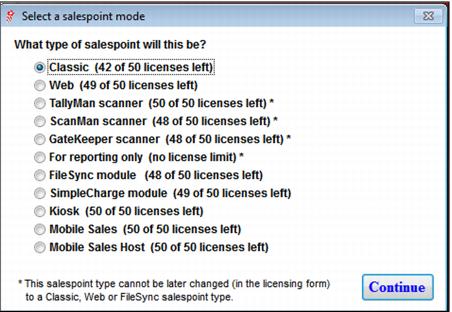
Every salespoint, scanning device and reporting station must be assigned a salespoint mode. This is done on both the licensing grid (SysManager > Preferences > Sales Point Licenses) and when you create the salespoint, scanner or reporting station from SysManager > Activities > System Lists > Salespoints. When you click New, you are presented with the following dialog:
You can also select the mode and assign support for new/additional modules to salespoints from the SysManager > Activities > System Lists > Salespoints > New/Edit > Licensing tab on the Salespoint Configuration dialog.