Salesware User and Ticketing Guide for Beginning Users : Basic SysManager operations : Common operations : How to enter pole display text
 
How to enter pole display text
 
To enter text that appears on pole displays:
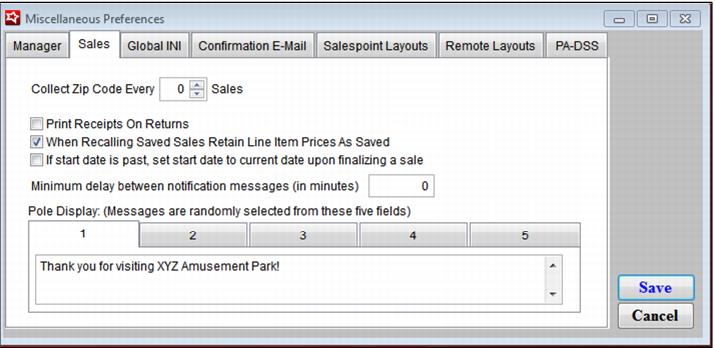
1. Go to SysManager > Preferences > Miscellaneous.
2. Click on the Sales tab.
3. Enter text into the Pole Display field. Any text that is entered here displays between each sale.
 
C:\Users\Jennifer Roth\Documents\DonationCoder\ScreenshotCaptor\Screenshots\Screenshot - 2013-07-22 , 9_36_17 AM.png