Setting | Description |
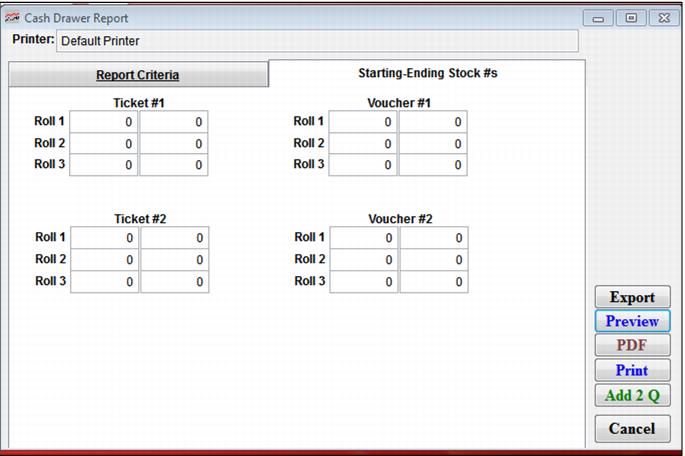
Ticket #1, #2 | Enter the beginning ticket number (from the roll issued to the operator) and the ending ticket number (when the roll of tickets is returned) of the tickets that were printed today in the fields provided. Fields for three rolls each of two types of tickets are provided. Note: The beginning and ending ticket numbers are entered here and used for this report, but are not stored permanently in Sales. Thus, if you want a record of beginning and ending ticket numbers, you must save a hard copy of this report. |
Voucher #1, #2 | Enter the beginning and ending voucher numbers of the vouchers that were printed today, if you are using numbered stock. Fields for three rolls each of two types of vouchers are provided. |