Salesware User and Ticketing Guide for Beginning Users : Basic ReportManager operations : How to run the Payment Types By Salespoint Report : The Report Criteria tab
 
The Report Criteria tab
 
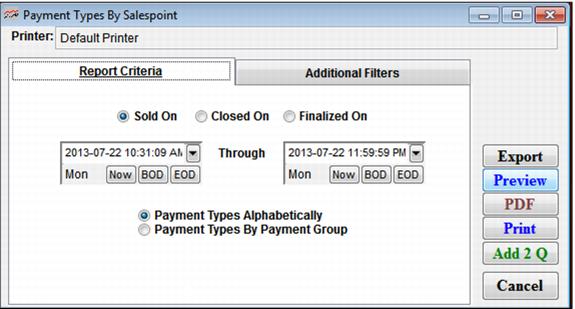
This tab allows you to view payment types by Sold On, Closed On or Finalized On, for a particular date range, and allows sorting by payment groups (credit cards, cash and checks) and alphabetically by product. Settings on this tab are summarized in the following screen capture and table.
 
C:\Users\Jennifer Roth\Documents\DonationCoder\ScreenshotCaptor\Screenshots\Screenshot - 2013-07-22 , 10_31_15 AM.png
 
 
Setting
Description
Sold On
Select this to report by items sold during the specified time period.
Closed On
Select this to report by items when drawer was submitted and closed on from salespoint.
Finalized On
When the closed drawer finalized via ReportManager.
Date Range
Select a date range for which to report payment type information.
Payment Types Alphabetically
Select this to sort payment types alphabetically in the report
Payment Types By Payment Group
Select this to sort payment types by payment group in the report.