Salesware User and Ticketing Guide for Beginning Users : Basic ReportManager operations : How to run the Payment Types By Salespoint Report : Additional Filters tab
 
Additional Filters tab
 
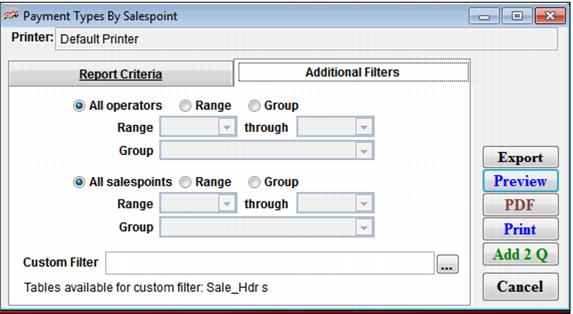
This tab allows you to apply additional filters to the report. Settings on this tab are summarized in the following screen capture and table.
 
C:\Users\Jennifer Roth\Documents\DonationCoder\ScreenshotCaptor\Screenshots\Screenshot - 2013-07-22 , 10_32_05 AM.png
 
Setting
Description
Filter Operators
Select this to select a range of operators to report on.
All salespoints
Select this to view all salespoints (default).
Range
Select this to activate the range of salespoints.
Group
Select this to activate the range of salespoint groups.
Custom Filter
Allows a custom filter to be entered to further define the output of the report.
 
Once you have selected your dates and filters you can run the report by either selecting Preview, Print, HTML, PDF or you can export the report data to another type of file format.