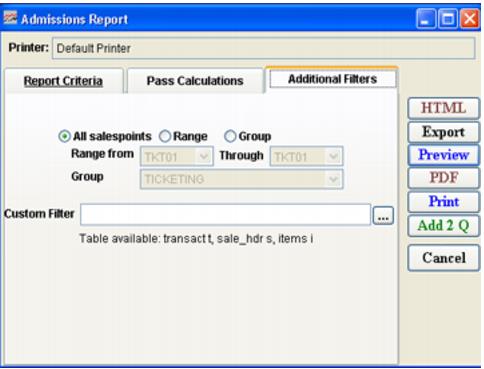
Settings | Description |
All salespoints | Select this to view all salespoints (default). |
Range | Select this to activate the range of salespoints. |
Group | Select this to activate the range of salespoint groups |
Range from | Select a range of salespoints to view admissions. Note: Range of salespoints must be consecutive in numeric-alpha order, otherwise, must run individual ranges for non-sequenced salespoints (see naming considerations in How to configure reporting information in SysManager). |
Group | Select a range of salespoint groups to view admissions. |
Custom Filter | Allows a custom filter to be entered to further define the output of the report Note: The table transact is the only table available to this custom filter. No alias is used. |