Setting | Description |
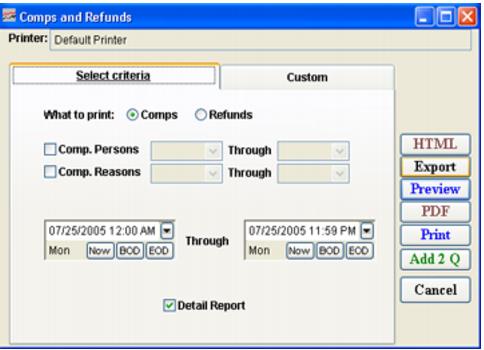
What to Print: Comps | Select this to view and print Comps applied to sales. |
What to Print: Refunds | Select this to view and print Refunds applied to sales. |
Comp. Persons | Select this to activate a range selection of Comps applied by person to report on. |
Comp. Reasons | Select this to activate a range selection of Reasons for Comps to report on. |
Date Range | Enter a date range for which you would like to view Comps or Refunds using the Beginning and Ending Date fields. |
Detail Report | Select this to include all detail for this report. |