Salesware User and Ticketing Guide for Beginning Users : Basic ReportManager operations : How to run the Discounts Performance Report : Additional Filters tab
 
Additional Filters tab
 
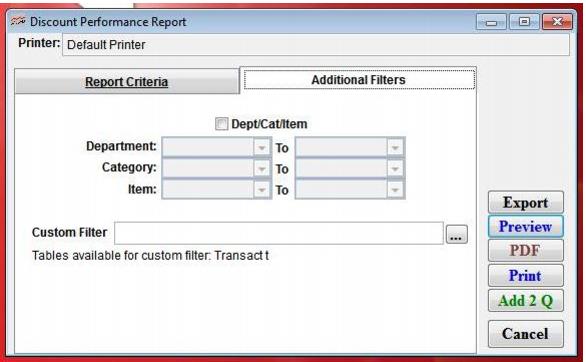
This tab allows you to further define operator, salespoint and account criteria for the report. Fields on this tab are summarized in the following screen capture and table.
 
user guide add filt discount
 
Setting
Description
Dept/Cat/Item
Select this to further define the report criteria by specifying particular Departments, Categories and/or Items. The other fields become active – enter a range of Departments, Categories, and/or Items to include in the report.
Custom Filter
Allows a custom filter to be entered to further define the output of the report.
Note: The tables Transact and Items are available to this custom filter. Use aliases t and i respectively.
 
Once you have selected your dates and filters you can run the report by either selecting Preview, Print, HTML, or PDF, or you can export the report data to another type of file format.