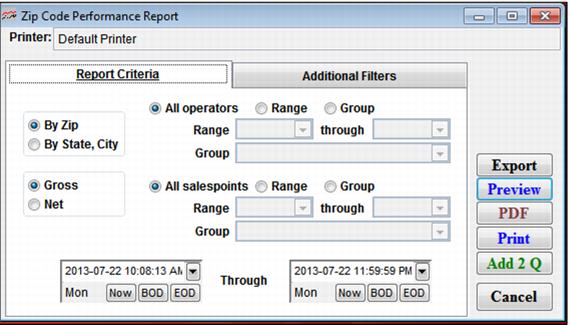
Setting | Description |
By Zip | Select this if you want your report to be sorted by zip code. |
By State, City | Select this if you want your report to be sorted primarily by state, secondarily by city. |
Gross | Select this if you want your report to list gross sales associated with each zip code. |
Net | Select this if you want your report to list net sales associated with each zip code. |
All salespoints | Select this to view all salespoints (default). |
Range | Select this to activate and select the range of salespoints. |
Group | Select this to activate and select the range of salespoint groups. |
Date Range | Select a date range for which to view the collected zip codes. |