Setting | Department |
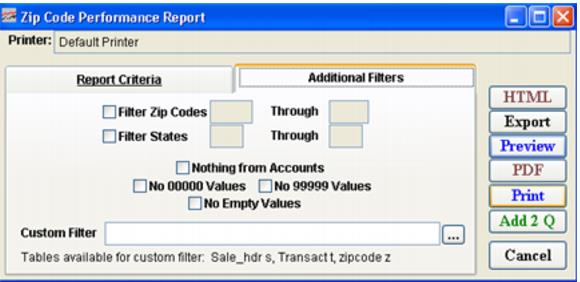
Filter Zip Codes | Select this box if you would like to further define the range of zip codes for the report and select a range of zip codes for your report. |
Filter States | Select this box if you would like to further define the range of states for the report and select a range of states for your report. |
Nothing from Accounts | Select this box if you want to exclude zip codes from account sales. Note: If group sales were made on account, these sales could skew the report (you may have 500 skiers with the same zip code, because you don’t know their actual individual zip codes). So you might want to exclude account zip code information. |
No 00000 Values | Check this box if you want to exclude zip codes with the value 00000. |
No 99999 Values | Check this box if you want to exclude zip codes with the value 99999. |
No Empty Values | Check this box if you want to exclude empty Zip code fields. |
Custom Filter | Allows a custom filter to be entered to further define the output of the report. Note: The table Transact is available to this custom filter. Use the alias t. |