Financial reports criteria
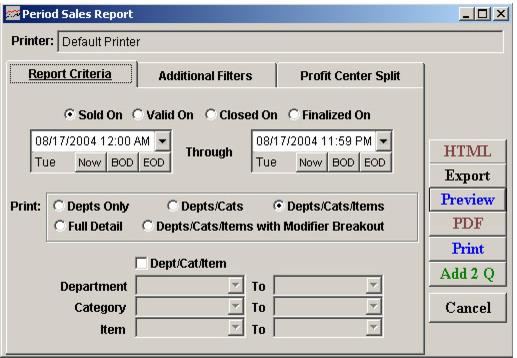
When you run financial reports to summarize Sales activity that has already been dispatched, you have four options:
• Sold On
• Valid On
• Closed On
• Finalized On
For all of the financial reports (including the Cash Drawer Report and Gross Receipts Report) when you run a report using the Sold option it includes only transactions that have the date/time stamp which falls between the dates you specify. So if an operator changed a sale to a different date using the global DateTime button, that sale does not appear on a report you run for the actual date the sale took place. The sale does, however, show up on a Sold Report for the revised date of the sale. The same goes for not just totals, but for admissions as well. Think of this as when the revenue or admission is to be recognized.
On the other hand, when you run one of these reports based on Closed, ReportManager locates all closeout numbers which were generated between the dates you specify using the Close Drawer Report. Then, it gathers and reports on all sale transactions which were marked as closed out with one of those closeout numbers, even if the sale transaction date is outside of the range you specify. That’s why the Cash Drawer Report (Payment Type Breakdown and Summary Closeout) might appear “correct” when you run them with the Closed option. The Summary Closeout Report lists closeout numbers that include the sale transactions that fall outside of the date range. But the Gross Receipt Reports that are done with the Sold option do not include the sale transactions that are moved to a different date outside of the date range for the report. In these cases, you would need to run Gross Receipts Report with the Closed option so that you are essentially comparing apples to apples across the various financial reports.