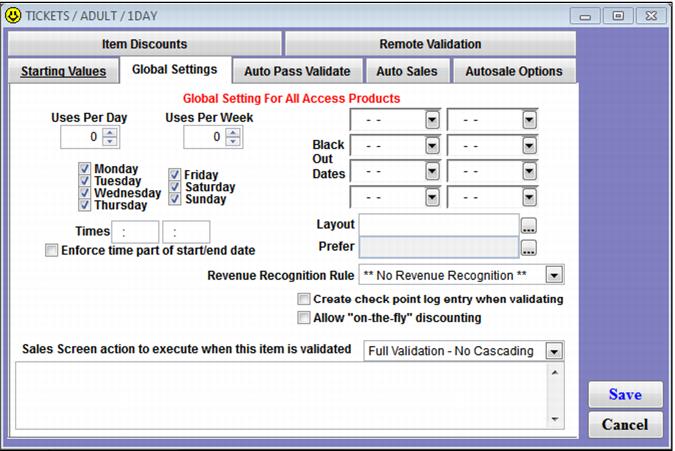
Global Settings tab
The Global Settings tab controls many actions associated with validation, both auto-validation and validation with a DCI. Basic restrictions for tickets are created on this tab such as day of week and valid time ranges for the ticket. Additional values such as weekly and daily values can be loaded onto a ticket using the Global Settings tab – although typically the daily and weekly uses are used in pass programs. Any configuration on the Global Settings tab affects all tickets of that DCI – both existing tickets and those yet to be sold.
Note: Sales Screen action macro to execute when this item is validated functionality is not active for access record items. The Layout and Prefer fields are described in the Salesware Layouts document.
Example:
An operator configures a ticket item called Nights-Only. Several hundred Nights-Only tickets are sold. The operator realizes that she forgot to restrict the validation time to 4:00 PM through 10:00 AM. The operator edits the Global Settings for the Nights-Only ticket DCI and adds the 16:00 - 22:00 time range. All Nights-Only tickets, including those already sold, are now be restricted to 4 PM to10 PM.