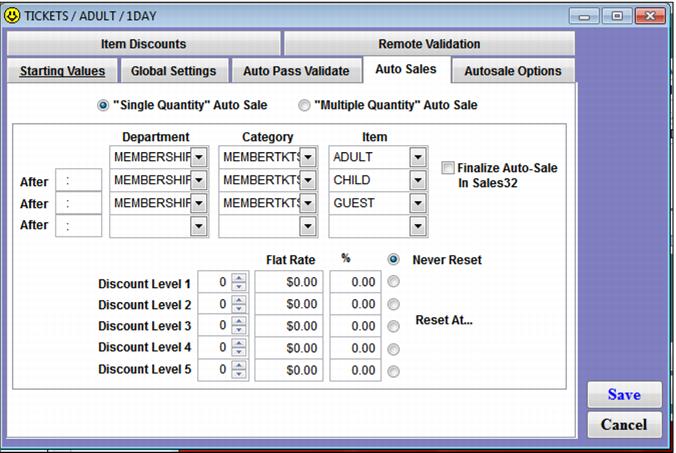
Auto Sales tab
The Auto Sales tab is where you select an item that is auto-sold whenever the ticket is auto-validated. This auto-sale can occur remotely via scanning applications such as GateKeeper and ScanMan or it can occur within the Sales application. Only one item may be selected for auto-sale per ticket DCI, although the item auto-sold can vary based on the time of day. The Auto Sales tab is frequently used in consignment programs. For a brief tutorial that demonstrates how to configure a consignment item, see the Salesware User and Ticketing Guide for Beginning Users.
The After fields allow a different item to be auto-sold based on the time of day that the pass auto-validation occurs. Time is entered in military time. The Finalize Auto-Sale In Sales32 check box immediately finalizes a sale (without any operator action required) after the item specified on the Auto Sales tab is successful added to a sale with the scan/swipe of a valid item. Only check this box when a form of payment does not need to be selected or more items do not need to be added to the same sale.
Note: The “Multiple Quantity” Auto Sale functionality and the Discount functionality are not available for access record items.
Example:
A resort issues barcoded consignment vouchers to local hotels in the area. When a guest presents the consignment voucher to an operator, the operator scans the barcode on the voucher in order to auto-sell an entrance ticket.