Specials that force validation
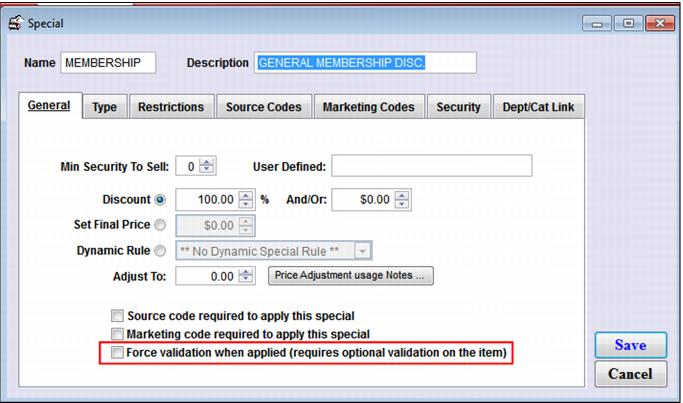
An optional configuration for Specials (SysManager > Activities > Financial Lists > Specials) is to Force validation when applied, as shown in the following screen capture.
To set up this type of validation program, the item that may be discounted by the special must be set up with Optional validation. When sold, if the item is discounted by a special configured to Force validation when applied, the operator is not able to finalize the sale until a valid pass number is entered for the item. If a special is not applied to the item (or the special applied is not configured to force validation) the operator is able to finalize the sale without entering a valid pass number.
The key in this program is to set up the items that are eligible for the discounts with Optional validation. If the items are set up with None selected for Validation, then applying a special that forces validation when applied has no effect whatsoever. The operator is able to finalize the sale with the special applied without entering a valid pass number for the item.
There are additional options for applying specials when pass numbers are entered for validation by using the Discount Macro found on the
Item/Pass Relationships tab within the Validation Template. (See the
Item/Pass Relationships Tab section below for more information.)