Checkpoint functionality (auto-validation option)
Checkpoint functionality was designed to help monitor current capacities between various entrance and exit gates. This type of information is especially helpful when operating venues with maximum capacity levels such as water parks or museum exhibitions. The checkpoint functionality has also been used in programs that allow guests to time themselves at the entrance and exit points of a hiking trail.
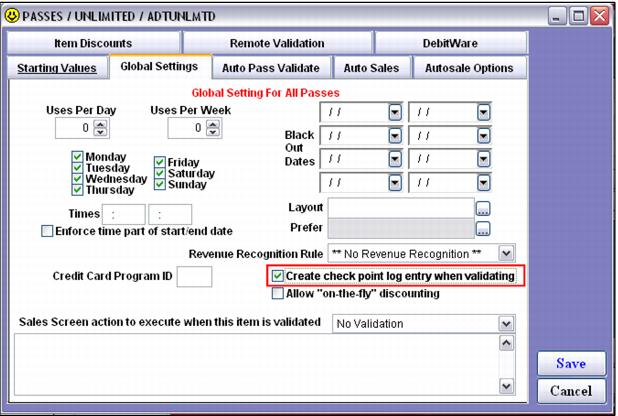
In order to use this functionality, the Create check point log entry when validating check box must be checked. This check box is found on the Global Settings tab within the Create Access record > Template button and Create Pass > Action Specifics button.
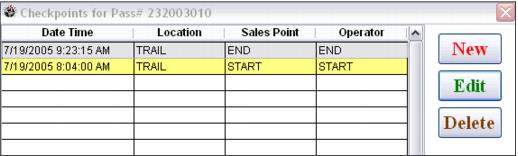
Check point records can also be added for a guest by editing the guest’s pass record in SysManager. This is helpful in situations when a guest is timing himself between start and end points (such as the beginning and ending of a trail or any other timed venue) and somehow missed scanning his pass at the entry or exit point.
There are several configuration settings required in ScanMan and GateKeeper modules in order to implement this program. Please refer to the Salesware Access Control documentation for full details of this program.