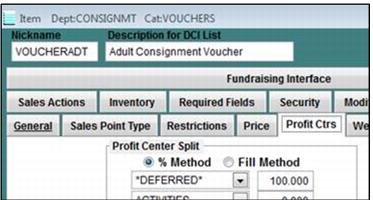
Revenue Moving rules vs. Consignment programs
IF(DCI(,,VOUCHERADT),MOVEREVENUE(*DEFERRED*, ADMISSIONS, 100, 0,CONSIGNMT,REDEMPTION,REDEEMADT))
IF(DCI(,,VOUCHERCHD),MOVEREVENUE(*DEFERRED*, ADMISSIONS, 100, 0,CONSIGNMT,REDEMPTION,REDEEMCHD))
IF(DCI(,,VOUCHERSNR),MOVEREVENUE(*DEFERRED*, ADMISSIONS, 100, 0,CONSIGNMT,REDEMPTION,REDEEMSNR))
Detailed explanations of the two features:
Revenue Rules exist in order to move money from one profit center to another when a ticket is scanned. If there is no revenue to move, then the rules do not get triggered (for example, comp tickets). The most common use of Revenue Rules is to allocate revenue to a Deferred profit center when sold and later when the ticket is used, move it to another profit center.
Example:
5000 1-day tickets are heavily discounted at a trade show, let’s say $5.00 each. The client doesn’t want to recognize $25,000 worth of revenue the day that the tickets were produced in Salesware module because most likely, that happened during their off season. So instead, the client uses revenue moving rules to move 100% of the revenue ($5 per ticket) from Deferred to Ticket Revenue when the tickets are scanned.
Consignment Programs involve selling a bunch of tickets or vouchers to an account for bulk distribution to a partner, and then recording the redemption of those bulk vouchers back to the same account once they are used. The client may price the vouchers at $0 and the redemptions at the consignment rate or the vouchers at the consignment rate and the redemptions at $0 or they may put a price on both items and just ‘ignore’ one profit center in order to not double-count revenue. Where/when to recognize the revenue in a consignment program is a tricky decision and is the responsibility of the client’s accounting department.
Because Revenue Rules and Consignment both have a two-part process, the initial sale and the redemption and they both deal with revenue, it is easy to start thinking that Revenue Moving and Consignment can be used in conjunction to deal with the consignment issue of selling vouchers that cost $$ and recording redemptions that also cost $$, without doubling up revenue. Unfortunately, this is not true.
Revenue Rules only move money from one profit center to another using a DCI specified in the rule to record the move. Revenue Rules do not interact with consignment programs to perform auto-sales to accounts and cannot set the price of the auto-sold ticket. So, as tempting as it is to want to use revenue moving and consignment together, it just doesn’t work that way. In the future it may be possible to create an enhancement to make the two features more compatible with each other, but for now you must decide on using one or the other.
To enable the two features to work together, please see the following instructions.
1. Set up your Consignment vouchers to cost $$ and associate the Revenue Moving Rule with the voucher access template (example rule is attached for reference).
2. Make your redemption items cost $0.
3. Set up the normal consignment account that includes an auto-scan invoice.
4. Sell the vouchers to the appropriate account:
5. Note the profit center for the voucher sales:
When the tickets are scanned to do the auto-sale back to the account (using the %A function in Sales in this example), note that the price of the redemption item is still $0. It does NOT get set to the “move” amount specified in the Revenue Rule for that particular access number:
Note: The revenue is moved according to the rule:
However, the account history always reflects the $0 redemption amount. You never see the original voucher amount go down and the redemption amount go up on the account itself. You can still use the account to know how many vouchers were originally sold, and then redeemed, but you lose the ability to know how much revenue the redemptions are worth per account. Also, you may have to specify a 0-admission DCI in the Revenue Rule and a 1-admission DCI for the auto-sale (or vice versa) in order to prevent double counting admissions at the time of redemption.