Media-not-present reloads
Option 1
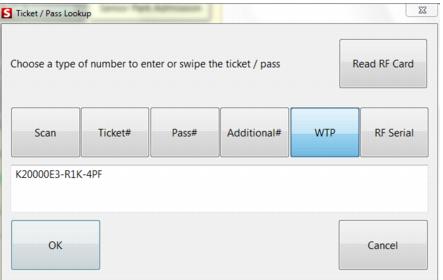
Add a reload item to the sale and click on the “Other” line item button. Go to the WTP tab and enter the WTP number. Siriusware verifies that the WTP number exists in the database.
Note: This method does NOT verify that the currently active item can be used to reload the media based on the Item/Pass Relationship tab links.
When the sale is finalized the operator is NOT prompted to hand-feed the card for encoding. Instead, a WTP reload record is sent to Axess via the SOAP EDE interface for encoding by the gate.
Option 2
Press the Ticket Inquiry main action button, hand-enter the WTP number, select the WTP button and click OK.
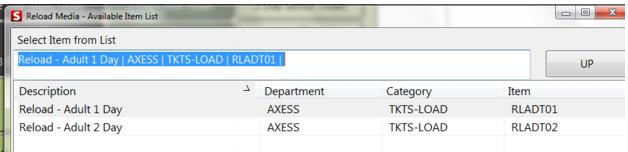
Press the Reload Media button. This action presents a list of eligible reload items (based on the Item/Pass Relationship tab linking that is also utilized in E-Commerce module). Select an item from the list for the reload. When the sale is finalized the operator is NOT prompted to hand-feed the card for encoding. Instead, a WTP reload record is sent to Axess via the SOAP EDE interface for encoding by the gate.