Posting messages from the group administrator in SysManager
A member of the staff (the group administrator) has the ability to send e-messages to web account groups. These messages are then posted and available for reading by group members/leaders. This is done through SysManager as follows:
1. Click on the E-Msg button in SysManager (or go to Activities > E-Messages).
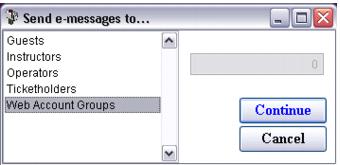
3. Select Web Account Groups and click the Continue button.
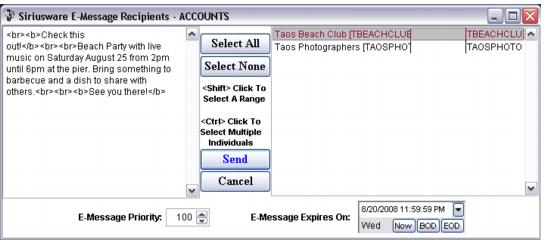
4. Compose the message you wish to send (you can use standard HTML tags to format the message) in the area on the left, select the group or groups you wish to send the message to from the list on the right, set the message priority (1 is highest priority and is displayed higher in the list), set a date when the message expires and click the Send button.
Note: A web account is displayed in the list in this window only if it has a non-empty Group Leader Password field.
5. The message is displayed to logged in group members/leaders of the appropriate group(s) and is displayed as being from the operator (group administrator) that was logged into SysManager (in this example KHUNA).