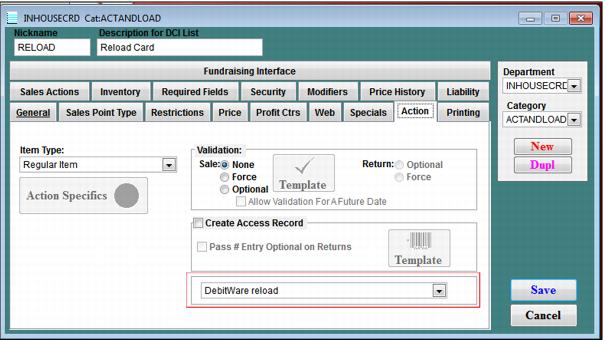
DebitWare reload item configuration
Once all of your In-House Cards pass items have been configured, you want to configure another item that is used for loading In-House Cards items with money. On the SysManager > Activities > DCIs > New/Edit > Action tab, select the Regular Item radio button and select DebitWare reload from the dropdown box. This item is sold whenever a guest wants to load more money onto his existing In-House Cards card.