Rentals : Pay-up-front: System configuration and use : Pay-up-front: TechStationPC/PPC : Check-out : Customer-owned skis
 
Customer-owned skis
 
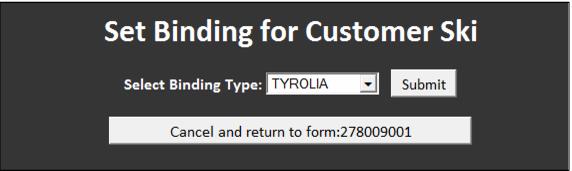
In order to calculate DIN settings for customers who own skis, scan the equipment barcode configured for the Customer Ski equipment inventory record (see Special rental inventory items). The Customer Ski inventory item is added to the rental contract and the rental tech clicks the Set Binding button in order to select the binding manufacturer for the bindings mounted to the customer skis. Once the binding for the customer ski is selected and a boot is attached to the rental contract, the DIN setting is calculated for the guest.



Note: If one “customer ski” per binding manufacturer is configured (the binding manufacturer is selected for each customer ski within the inventory), the tech needs to scan the customer ski barcode that corresponds to the binding mounted on the guest’s equipment. Scanning a “customer ski” barcode that is already configured with a binding manufacturer eliminates the step of manually selecting a binding manufacturer at the TechStation in this particular situation.