Rental server
1. Configure the Rental Server with the required OS and .NET framework. Please refer to the Salesware System Architecture and Specifications documentation for more information on the Rental Server requirements.
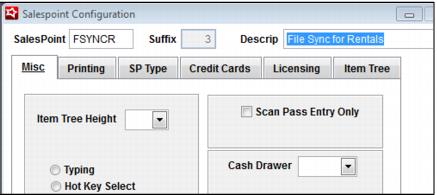
2. Configure a salespoint that is licensed for Rentals.
3. Install the Rental Server with RentEZ applications (RentPrint application is not necessary) on the same server. Please refer to the on-line documentation for details on installing these services.
4. Make sure to edit the
RentEZ_System.INI and set
AllowAnonymousRentals=.T. and
LookupBy=Asset (assuming the inventory numbers that are scanned use the
Asset field, otherwise set this to
Barcode). A sample
rentez_system.ini is provided under
RentEZ below.
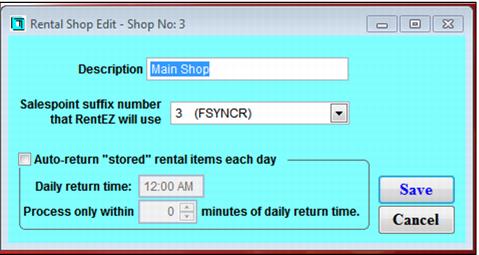
5. Configure a Rental Shop (SysManager > Activities > Rental Lists > Rental Shops) using the suffix created during the installation process. Make sure to update the Sales32c.INI [Rental] setting RentalShop= with the name configured in this step.