Configuration of automated alerts
1. Install the MessengerService if not already installed. See Salesware MessengerService document (Install_Siriusware_MessengerService_4300.msi).
Warning: The .NET 4.0 Framework MUST be installed prior to installing the MessengerService.
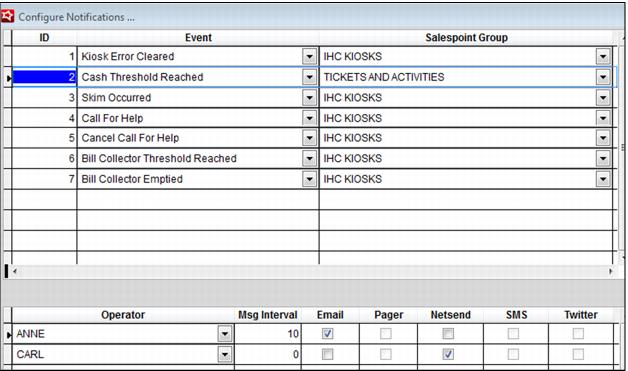
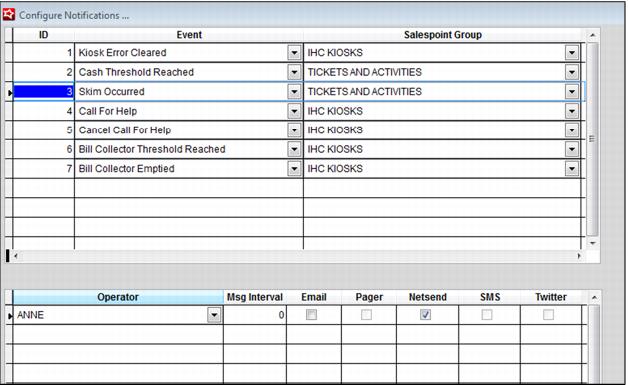
2. Enter the Configure Notifications activity in SysManager > Activities > System Lists > Configure Notifications and select the type of activities that result in notifications, the operators who are notified and the notification method per operator.
Example:
Cash Threshold alerts may be sent to cashiers working in the cash room or vault, but the Accounting department manager may want to be alerted when a skim is performed.
Note: At this time, only E-Mail and NetSend are supported (SMS is coming soon after negotiations have been finalized with a provider).
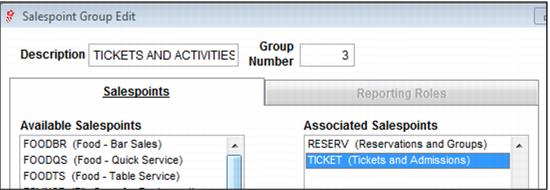
3. Configure Salespoint Groups that activate the various alerts. Existing Salespoint Groups can be used, or new Salespoint Groups can be configured for this purpose.
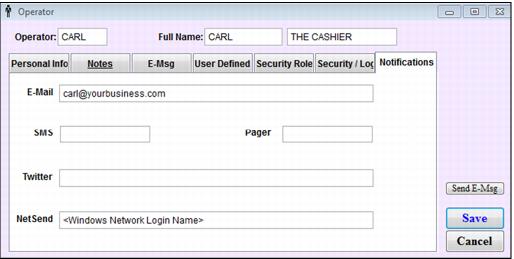
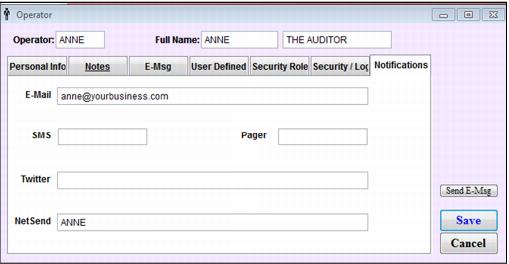
4. Edit the operators who receive the alerts and enter the contact method (again, right now this is only E-Mail and NetSend, but, SMS is coming soon). Notifications tab was added to enter notification information
5. Configure the Notifications. Different operators can be contacted based on the type of event and notifications based on the type of event can be isolated to only certain Salespoint Groups.
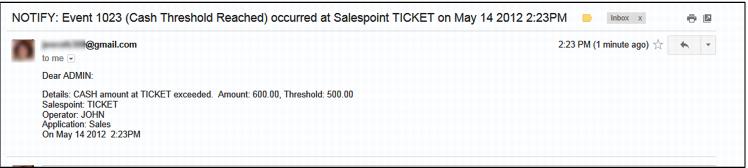
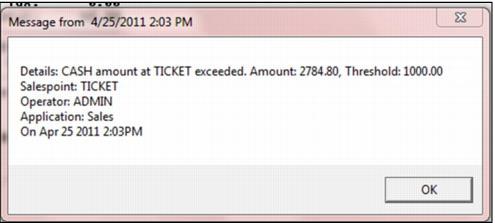
Email and NetSend examples: