Submitting Closeouts:
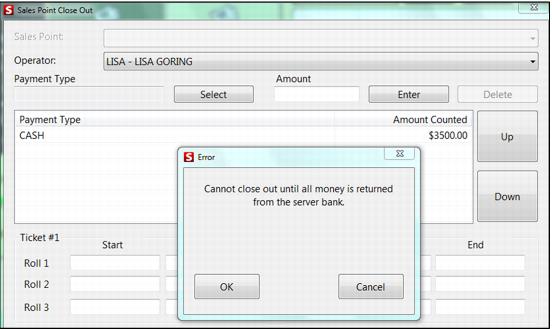
When the operator or salespoint submits a closeout, all Skim amounts are included within the totals. If any bank (float) is currently out, the operator is required to return it prior to pressing the Submit button.
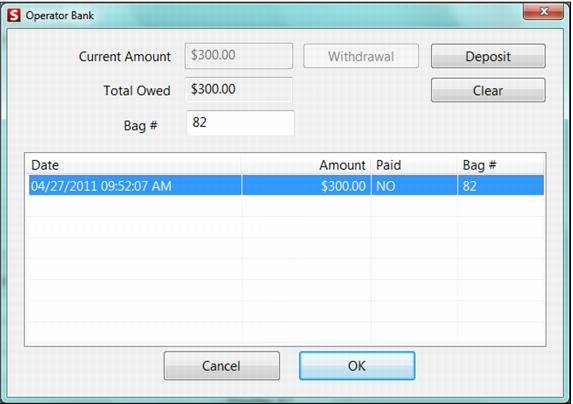
When the operator presses OK, he/she is taken directly to the Operator Bank activity to Deposit the bank (float). After the Deposit action is complete, the closeout is submitted.
During the Closeout process at the salespoint (SalesEZ application: GetCloseoutAmts), read-only Skim amounts for each Skim are performed (similar to how we handle credit card totals on this dialog). An operator is able to enter a payment type/amount that has already been collected via a skim. When the Submit button is pressed the skim and manual entries for a given payment type is totaled prior to forwarding the data to the server.
Example:
Three skims of CASH were performed during the day of $1000, $800 and $1200. During the closeout process, the operator can see each of the skims itemized on the Closeout dialog. The operator has an additional $200 (not including the server/operator bank) that needs to be entered at closeout. So, the operator selects the CASH payment type and enters an amount of $200. When the operator presses the Submit button, his/her closeout receipt shows the itemized skims for CASH along with the additional $200 in CASH entered during the closeout process, but a single value of $3200 for CASH is forwarded to the server data.
The closeout number is written into the new CashMgmt table for the operator or salespoint (depending on the closeout method).