How to enter operator preferences (user-defined fields)
To enter operator preferences:
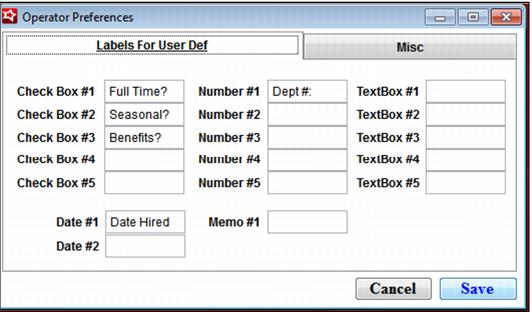
1. Go to SysManager > Preferences > Operators > Labels For User Def tab.
2. You can enter labels here for five check boxes, five numeric fields, five text boxes, two date fields, and one memo field:
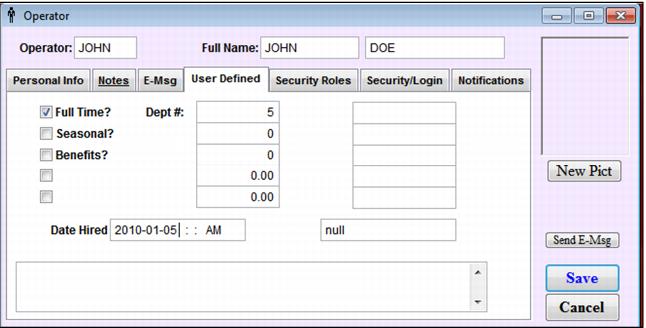
3. Any labels that are entered here show up in the SysManager > Activities > System Lists > Operators > New operator/Edit operator > User Def 1 and User Def 2 tabs:
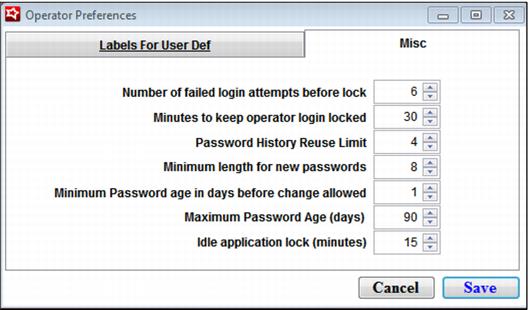
4. Go to SysManager > Preferences > Operators > Misc tab.
5. Change the security parameters for the operator, or accept the defaults, shown in the following screen capture.