Setting | Description |
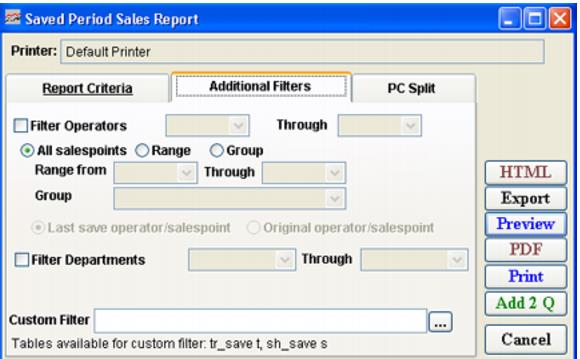
Filter Operators | Select this to report by items sold during the specified time period. |
All salespoints | Select this to report by all salespoints. |
Range | Select this to specify a range of salespoints for the report. |
Group | Select this to specify a range of sales groups for the report. |
Last save operator/salespoint | Select this to view the last operator and salespoint to save sale. |
Original operator/salespoint | Select this to view original operator and salespoint that sale was created and saved. |
Filter Departments | Select this to specify a range of Departments. |
Custom Filter | Allows a custom filter to be entered to further define the output of the report. Note: The table tr_save and sh_save are available to this custom filter. Use the aliases t and s respectively. |