Additional options
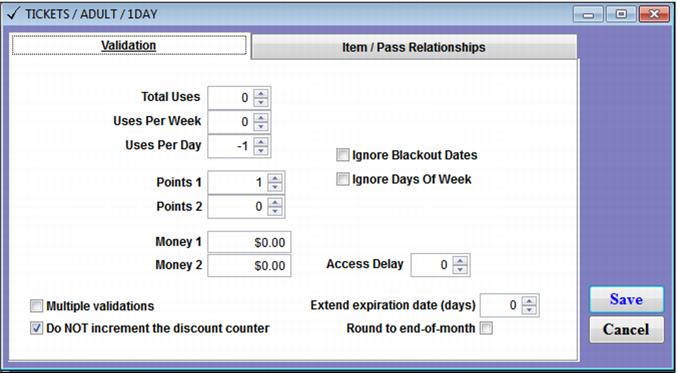
Additional configuration options on the Validation tab include Multiple validations, Do NOT increment the discount counter and Access Delay.
Multiple validations is helpful when the same pass record may be entered multiple times on the same line item in a sale to authorize purchases.
Example:
An employee pass has 5 points that may be used to get free tickets for family and friends. All five free tickets may be picked up at the same time. By checking the Multiple validations box on the validation template of the free ticket, the operator can set the quantity of the line item to be greater than one and only enter the employee pass number one time (per line item.)
Do NOT increment the discount counter is helpful when using the
Discount counter functionality in auto-validation programs (see the
Pass Action Specifics configuration basics section,
Auto Sales tab subsection) and wanting to use the same pass DCI to validate the purchase or discount of items via the
Validation Template.
Example:
A 5th Day Free program uses the auto-validation Discount counter functionality to auto-sell full price entrance tickets until the fifth purchase, which is discounted to $0. The same 5th Day Free pass can be used to validate the sale of a discounted parking pass. The guest does not have the discounted parking pass purchase count towards their free entrance ticket, so the parking pass validation template is configured with the Do NOT increment the discount counter box checked.
The Access Delay option can prevent the same pass number from being entered for validation within the specified time period (in minutes). The validation template access delay function is similar to the access delay option used in auto-validation programs within the Create Access Record > Template and Create Pass > Action Specifics.