WAN validation site restrictions
Wan validation is described in detail in
WAN Validation.
When a ticket or pass is scanned at a secondary site, WAN validation re-routes the validation of the pass or access record back to the site that originally created the ticket or pass. When the validation is passed back to the site where the ticket or pass was created, the validation template for the ticket or pass (
Create Access Record >
Template or
Create Pass >
Action Specifics template) is verified to ensure that the ticket or pass being scanned can be used at that secondary site. See
WAN Validation for details on how to configure this particular validation program.
Example
Site BLUE and site GREEN share a season pass program. Both resorts allow Unlimited Use passes to be used at either location. However, Limited Use passes cannot be shared between the two resorts. Site BLUE is configured as Site 1 on the SysManager > Preferences > Company Information dialog. Site GREEN is configured as Site 2 on the Company Information dialog.
BLUE site pass configuration
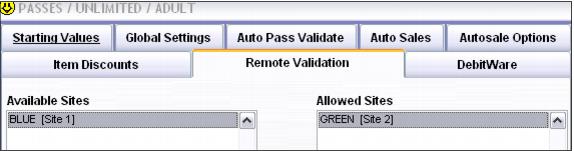
• For the unlimited use pass, Create Pass > Action Specifics > Remote Validation tab: Site GREEN is listed in the Allowed Sites pane.
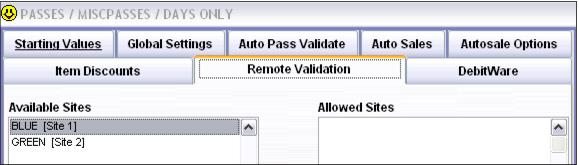
• For the limited use pass, Create Pass > Action Specifics > Remote Validation tab: Site GREEN is not listed in the Allowed Sites pane.
GREEN site pass configuration
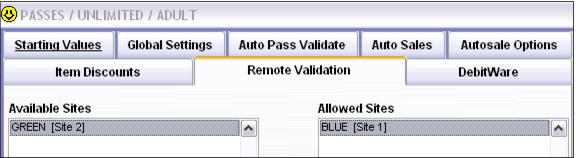
• For the unlimited use pass, Create Pass > Action Specifics > Remote Validation tab: Site BLUE is listed in the Allowed Sites pane.
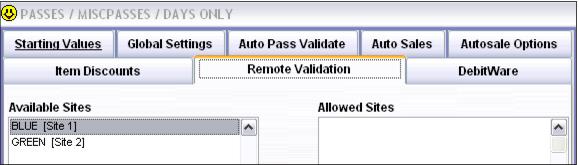
• For the limited use pass, Create Pass > Action Specifics > Remote Validation tab: Site BLUE is not listed in the Allowed Sites pane.