Salesware Installation Guide : Installation overview : Installing Sales : Starting Sales for the first time Starting Sales for the first time
Ensure that Pool Service is running on the middleware server. SalesEZ application must be running and possibly BookEZ or even RentEZ or TallyEZ applications, depending on your configuration. Click on the Sales icon on the desktop.
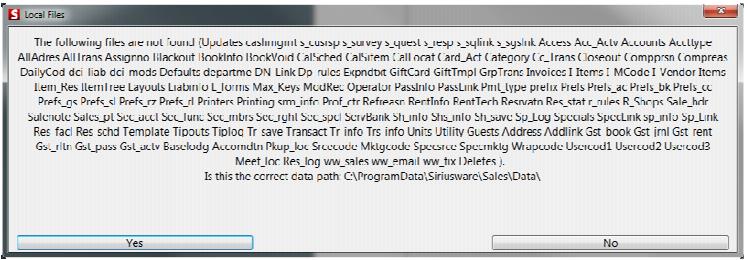
You get a message indicating that files are not found (see the following screen capture). Sales must load them from the server (that is, Sales must create the local data files in the \ProgramData\Siriusware\Sales\Data folder). Click Yes and the salespoint begins to build the file structure for the first time. This can take a few minutes depending on the size of the data set.
Note: You may get a message stating that the path to the
updates folder doesn’t exist. See
Mapping to the Siriusware folder from other computers for more information on this message.
Previous to this, you may also get a small error window indicating Can’t find updates table! – simply ignore this error or click YES to close the window. There is no need to worry – at this point the deletes table has not yet been created.