Salesware User and Ticketing Guide for Beginning Users : Basic SysManager operations : Product setup : Configuring items : Required Fields tab
 
Required Fields tab
 
The Required Fields tab is used to require that specified information be collected when the item is sold. The Required Fields dialog is shown in the following screen capture. For more information, see How to enter guest preferences (user-defined fields) and How to require collection of guest information.
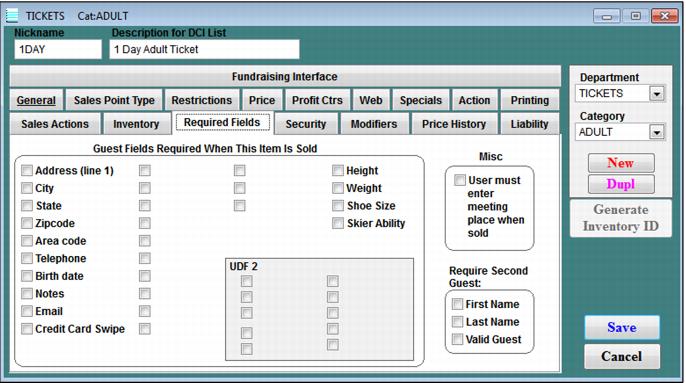
The User must enter meeting place when sold check box is linked to the list of Meeting Locations in SysManager > Activities > Item/Sales Lists > Meeting Locations. If an item has this checked, the operator has to select a Meeting Location before the item can be sold in Sales.
 
C:\Users\Jennifer Roth\Documents\DonationCoder\ScreenshotCaptor\Screenshots\Screenshot - 2013-07-22 , 9_11_54 AM.png